
As an IT company we like to stay ahead of the curve and share our knowledge with you. One of our techs installing Windows 8 Enterprise RTM from MSDN was unable to change the Windows Key to activate Windows. After searching the web he was able to piece together a solution. To save you time, here are the simple steps you can follow to enjoy your Windows 8 installation.
At the Start Screen, type CMD
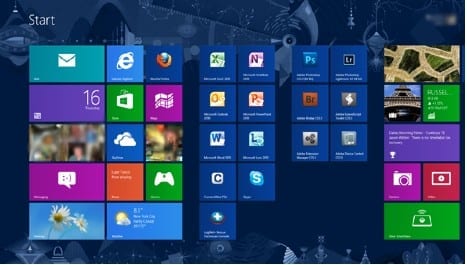
Right click Command Prompt; a menu bar will appear at the bottom of the screen. Click “Run as administrator”.

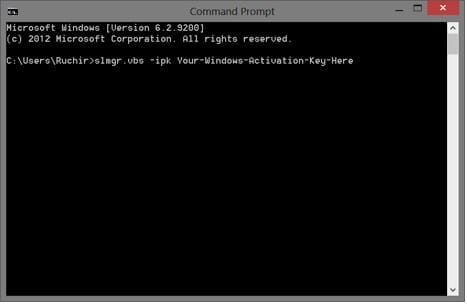
In the command prompt enter “ slmgr.vbs -ipk Your-Windows-Activation-Key-Here ” (exclude quotes). This will change the Windows key to the one assigned to you in your MSDN portal. A confirmation will pop up. Click “Okay”.
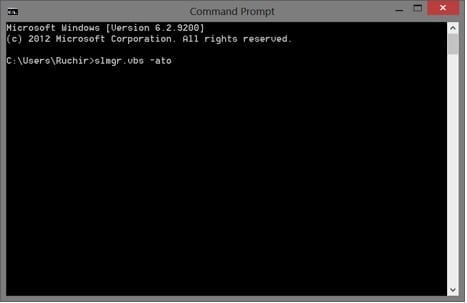
Now, to activate your Windows 8 license, enter “ slmgr.vbs –ato ”. You will receive another confirmation box. You should now be activated.
Enjoy!