
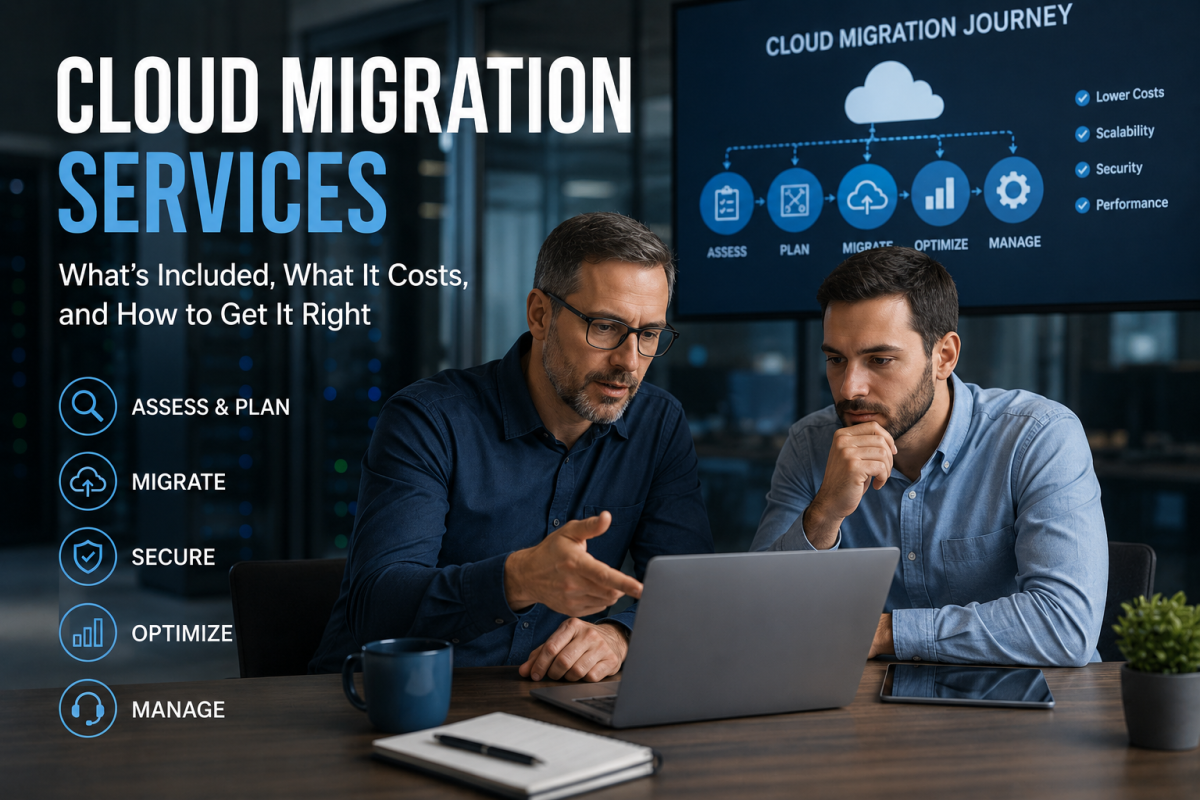
Moving to the cloud is rarely as clean as vendors make it sound. Three weeks in, half your team can’t access critical files. The timeline slipped. Someone’s asking why this is costing more than the original quote. Here’s what cloud migration services actually include, what they cost, and how to avoid the mistakes that derail most projects.
Key Takeaways
- The right migration approach depends on your workload, not a vendor trend. The 5 R’s framework — Rehost, Replatform, Refactor, Repurchase, Retire — exists because no single method fits every environment. Most migrations use a mix.
- Organizations are exceeding cloud budgets by 17% on average, per Flexera’s 2025 State of the Cloud Report. The leading cause isn’t technology, it’s skipped discovery. Undocumented systems and dependencies found mid-migration are expensive to fix in motion.
- HIPAA, PCI-DSS, and SOC 2 compliance follow you to the cloud. Retrofitting compliance controls after migration costs significantly more than building them in from the start. OCR settlements for HIPAA failures range from $100K to $3.5M.
- Phased migrations consistently outperform full cutovers. Moving in waves — validating each one before the next begins — gives you real rollback options if something goes wrong. A big-bang cutover concentrates all your risk into a single window.
- Migrations backed by a certified cloud architect — internal or from a migration partner — consistently outperform ones without that expertise on the team. That’s the single biggest predictor of outcome.
What Cloud Migration Services Actually Include
Cloud services span a lot of ground — and so does the migration process that gets you there. Moving your systems, data, and applications from on-premise infrastructure to a modern cloud platform — Azure, AWS, Google Cloud — sounds like a technology project. It is. But it’s also an operational one.
What’s actually included:
- Discovery and assessment — cataloging what you have, mapping dependencies, flagging anything that won’t migrate as-is
- Migration planning — matching the right approach to each workload
- Data migration — moving files and databases with minimal disruption
- Application migration — reconfiguring or rebuilding apps for the new environment
- Testing and validation — nothing goes dark until it’s confirmed working
- Post-migration optimization — rightsizing resources, managing costs, tuning performance
- A credible provider handles all of it. Not just the data transfer.
The State of Cloud Migration in 2026
The numbers put the scale in perspective.
The global cloud migration services market hit $21.66 billion in 2025 and is projected to reach $70.34 billion by 2030 — growing at 27.8% annually. Cloud adoption has passed the tipping point — Flexera’s 2025 State of the Cloud Report found more than half of enterprise and SMB workloads now run in public cloud.
But here’s what doesn’t make the press releases: organizations are exceeding cloud migration budgets by 17% on average.
That’s not an edge case. That’s the baseline. The gap between a managed migration and a self-directed one shows up consistently — in fewer surprises, not just faster timelines. Every phased rollout beats a rushed one.
How Much Does Cloud Migration Cost?
Depends on the scope. But here are the ranges businesses actually see.
Small business migrations (limited infrastructure, simple applications): $5,000–$50,000. These typically involve rehosting workloads with minimal modification and a short project timeline.
Mid-market migrations (mixed workloads, compliance requirements, larger data volumes): $50,000–$250,000. Usually involves a combination of approaches — some rehosting, some replatforming — and dedicated project management.
Enterprise migrations (complex interdependencies, regulated data, multi-site): $250,000 and up. Full architectural design, phased delivery, compliance validation, and post-migration managed services.
What drives cost up: undocumented legacy systems discovered mid-project, compliance requirements not scoped upfront (HIPAA, SOC 2, PCI-DSS), applications that need refactoring instead of rehosting, downtime requirements that force off-hours migration windows, and inadequate backups that require remediation before any workload moves.
And what keeps cost down? A proper discovery phase before anything starts. It’s not optional — it’s where budget overruns are either prevented or guaranteed.
The Five Migration Approaches
Most migration conversations get oversimplified. There’s a reason the “5 R’s” framework exists — the right approach depends heavily on the workload.
Rehost (Lift and Shift) Move applications with minimal changes. Fastest, cheapest upfront. Doesn’t fully optimize for cloud. Works for stable apps where cloud-native features aren’t a priority yet.
Replatform (Lift, Tinker, and Shift) Make targeted improvements during the move — swapping a database engine, for example — without a full rebuild. Some cloud benefit without the cost of refactoring.
Refactor (Re-architect) Rebuild to take full advantage of cloud-native features. Most expensive. Best for business-critical applications that need to scale aggressively. Don’t do this to everything — only where it pays.
Repurchase (Drop and Shop) Replace an existing application with a SaaS alternative. Common with CRM, ERP, communication tools. Microsoft 365 migrations fall here.
Retire (Turn Off) Turn off applications that no longer serve a purpose. Every discovery phase turns up systems nobody’s using anymore. Free savings.
Most migrations use a mix across different workloads. That’s normal. And anyone telling you one approach fits everything is selling something.
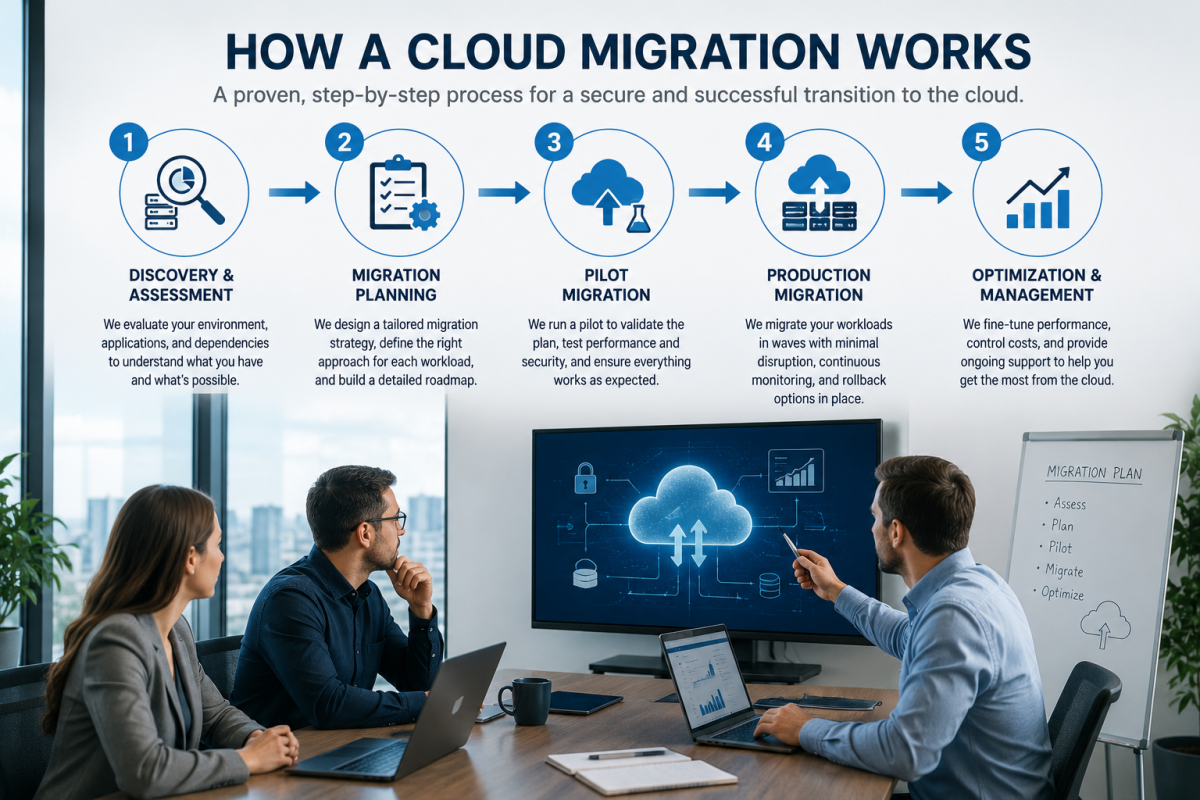
how cloud migration works
How a Cloud Migration Actually Runs
Not as a single cutover. As a series of controlled moves.
Phase 1 — Discovery and Assessment (Weeks 1–3) Everything gets documented before anything moves. Applications, data, dependencies, compliance obligations. This is where the scope gets real. Shadow IT surfaces. Undocumented integrations appear. Better to find them now.
Phase 2 — Migration Planning (Weeks 3–5) Each workload gets assigned an approach (one of the 5 R’s). Migration waves get sequenced — shared services first, regulated data last. Rollback procedures get defined before anyone needs them.
Phase 3 — Pilot Migration (Weeks 5–7) Non-critical workloads move first. Test the process, not just the technology. Validate that monitoring, access controls, and backup procedures work in the new environment before the important stuff moves.
Phase 4 — Production Migration (Weeks 7–16, varies) Wave by wave. Business-critical systems migrate during low-impact windows — nights, weekends. Parallel systems run where downtime isn’t acceptable. Each wave validated before the next begins.
Phase 5 — Post-Migration Optimization (Ongoing) Rightsizing. Cost management. Performance tuning. Security monitoring. This is where managed cloud services take over — and where most of the long-term value gets captured or lost.
Plan it in phases. Not as one big event.
Why Migrations Fail
It’s rarely the technology.
Skipping discovery. Undocumented dependencies, unclassified data, shadow IT — all of it surfaces mid-migration if you didn’t find it first. Expensive to fix in motion.
Treating it as a one-time project. The migration ends. The cloud environment doesn’t manage itself. Organizations that don’t plan for ongoing monitoring and cost governance end up with costs that spiral and performance that quietly degrades.
Underestimating compliance. HIPAA, PCI-DSS, SOC 2 — these requirements don’t disappear when you move to the cloud. They follow you. And retrofitting compliance controls after migration costs significantly more than building them in from the start. OCR settlements for HIPAA failures range from $100K to $3.5M. That’s not a footnote.
But the pattern that cuts through it: the successful enterprise migrations almost always have a certified cloud architect on the project — internal or from a migration partner. If that profile isn’t on your team, that’s the gap to close first.
Security During Cloud Migration
Migration windows are high-risk periods. Data in transit. Configurations changing. Access controls being rebuilt. A few things that aren’t optional:
Encryption in transit and at rest. Every transfer encrypted. Every storage volume encrypted by default. Not after testing — before anything moves.
Identity and access management. Don’t copy your old permission structure into the new environment. Start clean. Least-privilege access from day one.
Full backup before migration begins. Before. Not during.
Monitoring active before the first workload moves. Cloud environments generate logs. Someone needs to be watching before you start, not after something goes wrong.
For businesses with compliance obligations, security architecture validation against the relevant framework happens before migration is considered complete. Not as a final checkbox. As a gate.
Common Cloud Migration Mistakes
Migrating everything at once. The full-cutover approach looks efficient on paper. In practice, it concentrates all your risk into a single window. One problem takes down everything. Phased migrations exist for a reason.
Assuming cloud automatically means cheaper. It can be. But unmanaged cloud spend grows fast. Over-provisioned resources, unused storage, licenses no one audited — organizations that don’t implement cost governance from day one often spend more in the cloud than they did on-premise. The savings are real. They’re not automatic.
Copying the old permission structure. Migration is the one moment you have to rebuild access controls cleanly. Most organizations don’t take it. They copy over legacy permissions, bring the old problems with them, and spend months untangling it later.
Not testing the rollback plan. Every migration needs one. Most teams build it. Few actually test it before going live. If your rollback procedure has never run, you don’t know if it works.
Going live without a monitoring baseline. You need to know what normal looks like in the new environment before something abnormal happens. Set up monitoring, establish baselines, and confirm alerting is working before production traffic hits the new infrastructure.
Skipping the end-user piece. The technology migrates fine. Then employees can’t find their files, the applications behave differently, and the help desk gets buried. Change management and user training aren’t soft skills — they’re migration deliverables.
Most of these aren’t technical failures. They’re planning failures. And they’re avoidable.
Cloud Migration Services vs. DIY
Self-managed migrations are possible. They’re also the leading source of migration-related downtime and data incidents for businesses without dedicated cloud architecture expertise.
DIY makes sense when the environment is small, applications are simple, internal staff have real cloud experience, and the business can absorb downtime if something goes wrong.
Managed migration makes sense when availability matters, regulated data is involved, the environment has complexity, or internal teams are stretched and this isn’t their core competency.
For most mid-market businesses — the math on managed migration pays out. Avoided downtime, a properly architected environment, and a team that’s done this before. Not every engagement, but most.
What to Look for in a Cloud Migration Provider
Assessment before proposal. A provider quoting scope before understanding your environment is selling a product. Legitimate migration work starts with discovery.
Relevant certifications. Microsoft Solutions Partner, AWS Partner Network, Google Cloud Partner. These aren’t marketing badges — they indicate demonstrated competency with the platforms they’re migrating you to.
Post-migration support. Ask specifically what happens after cutover. Managed cloud services are where long-term value gets captured. If the engagement ends at migration complete, you’re on your own for what comes next.
Industry references. Healthcare, legal, financial services — these carry compliance requirements that general IT providers may not be equipped for. Ask for references from businesses in your sector. Not from adjacent industries.
Frequently Asked Questions About Cloud Migration Services
How long does a cloud migration take?
Depends on scope. Small business migrations with limited infrastructure typically run 4–8 weeks. Mid-market migrations with mixed workloads and compliance requirements run 3–6 months. Enterprise migrations with complex interdependencies can run 6–18 months. The biggest timeline variable isn’t the data volume — it’s how well-documented the existing environment is before work begins.
What is the difference between cloud migration and cloud management?
Cloud migration is the project that moves your systems to the cloud. Cloud management is everything that happens after — monitoring performance, controlling costs, applying updates, maintaining security, and optimizing resources. Migration ends. Management doesn’t. A lot of organizations budget for migration and underestimate ongoing management, which is where costs can spiral without governance in place.
Can you migrate to the cloud without downtime?
For most workloads, yes — with the right approach. Parallel systems, phased migrations, and off-hours cutover windows can reduce user-facing downtime to near zero on business-critical systems. That said, zero downtime requires more planning and typically costs more than migrations with an acceptable maintenance window. The tradeoff gets defined during discovery, not mid-project.
What happens to compliance obligations when you move to the cloud?
They follow you. HIPAA, PCI-DSS, SOC 2 — moving to Azure, AWS, or Google Cloud doesn’t transfer your compliance obligations to the cloud provider. Shared responsibility models mean the provider secures the infrastructure; you’re still responsible for how your data is handled, accessed, and stored. Compliance architecture needs to be validated before migration is considered complete, not added afterward.
Should you migrate everything to the cloud at once?
Almost never. Full-cutover migrations concentrate all your risk into one window — if something goes wrong, everything goes wrong simultaneously. Phased approaches move workloads in waves, validate each wave before the next begins, and give you real rollback options if a problem surfaces. Organizations with structured phased migrations consistently achieve better outcomes on both cost and timeline than those attempting a big-bang cutover.
Talk to ERGOS About Your Cloud Migration
Cloud migration services that work start with understanding what you actually have — not what the last vendor assumed you had.
ERGOS Technology Partners has been working with businesses across the US since 1997. We’ve seen migrations done right and migrations done badly. The difference is almost always in the planning.
Whether you’re starting from scratch or recovering from a previous attempt, we can build a plan that holds up. Reach out — a real person picks up.